

Watermaker Remote Control
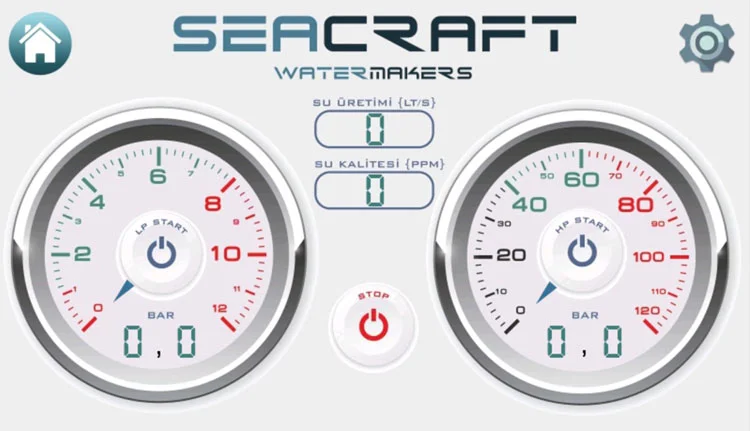
Control Screen
The System Control Page is the main control screen of your device. On the left side, there is a 0–12 bar Low Pressure Gauge and an LP START button for starting the feed pump. On the right side, there is a 0–120 bar High Pressure Gauge and an HP START button for starting the high-pressure pump. At the lower center between these two gauges, there is a STOP button used to stop the device. At the upper center between the gauges, there is a display showing the device's average hourly water production, and directly below it, a display indicating the salinity level of the produced water. In the upper-right corner of the page, there is a Settings button that provides access to the Settings page.
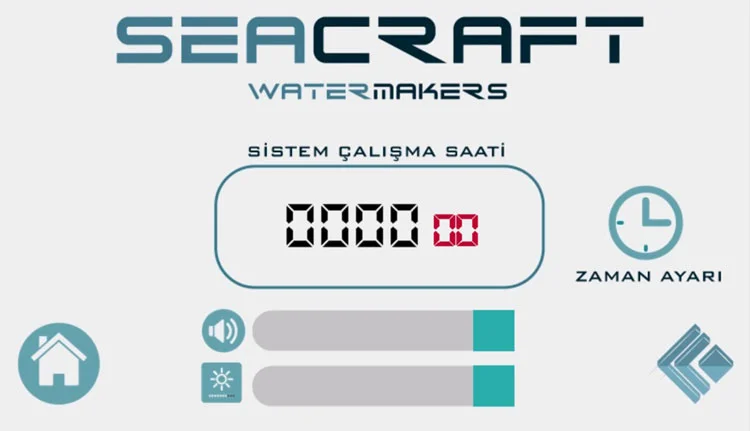
Operating Hours
On the Operating Hours Page, there is an Operating Hours Display located at the upper center of the screen, showing the total operating time of the device. Below the operating hours display, there is an Alarm Sound Level Adjustment Button, and at the bottom of the page, there is a Screen Brightness Adjustment Button. In the lower-left corner, there is a button for returning to the Main Page. To the right of the Operating Hours Display, there is a button for accessing the Operating Time Settings Page. In the lower-right corner, there is a button for returning to the Previous Page.
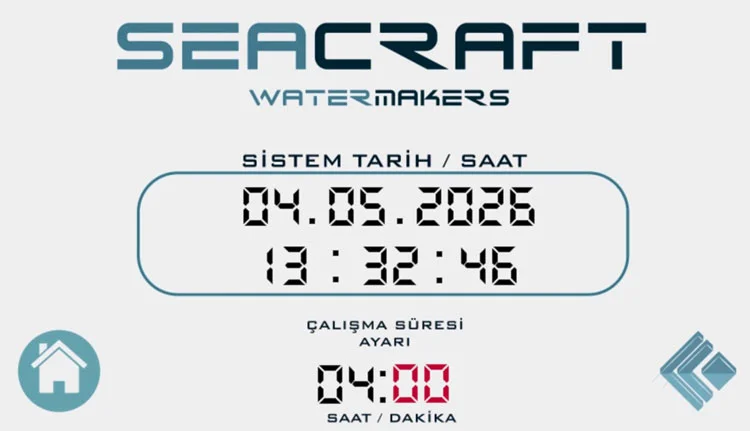
Operation Time Setting
At the bottom of the Operating Time Settings Page, there is a Control Panel that allows you to set the device's operating time. When the device is started, it will continue running for the preset duration unless it is stopped manually. Once the set operating time has elapsed, the device will automatically shut down. Directly above the control panel, there is a Date/Time Information Display. In the lower-left corner of the page, there is a button for returning to the Main Page, and in the lower-right corner, there is a button for returning to the Previous Page.
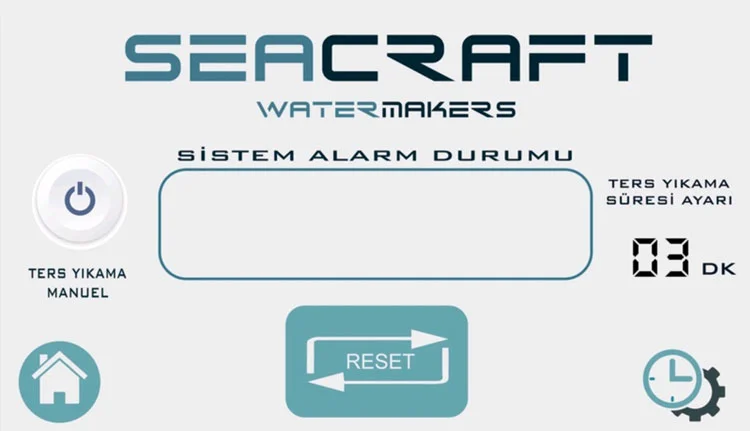
Alarm and Flushing Settings
On the device's Settings Page, there is a Time Control Panel on the right side that allows you to set the interval for automatic flushing (backwash) or disable the flushing function entirely. On the left side, there is a Manual Flush Control Button. In the center of the page, there is a System Alarm Status Display, and directly below it, an Alarm Reset Button. At the lower-left corner of the page, there is a button for returning to the Main Page, while at the lower-right corner, there is a button for accessing the Device Operating Hours Page.
